New v0.1.0, the first release, for macOS and Linux.

AI agents side by side,
one worktree each.

Tidewatch is a desktop app for macOS and Linux that runs AI coding agents in one window per git repo. Every tab is its own git worktree, a separate checkout on its own branch, so several agents can work on the same repo without touching each other's files. You watch them, read what they did, comment on their diffs and decide what ships.

$brew install hobo-ware/tap/tidewatch
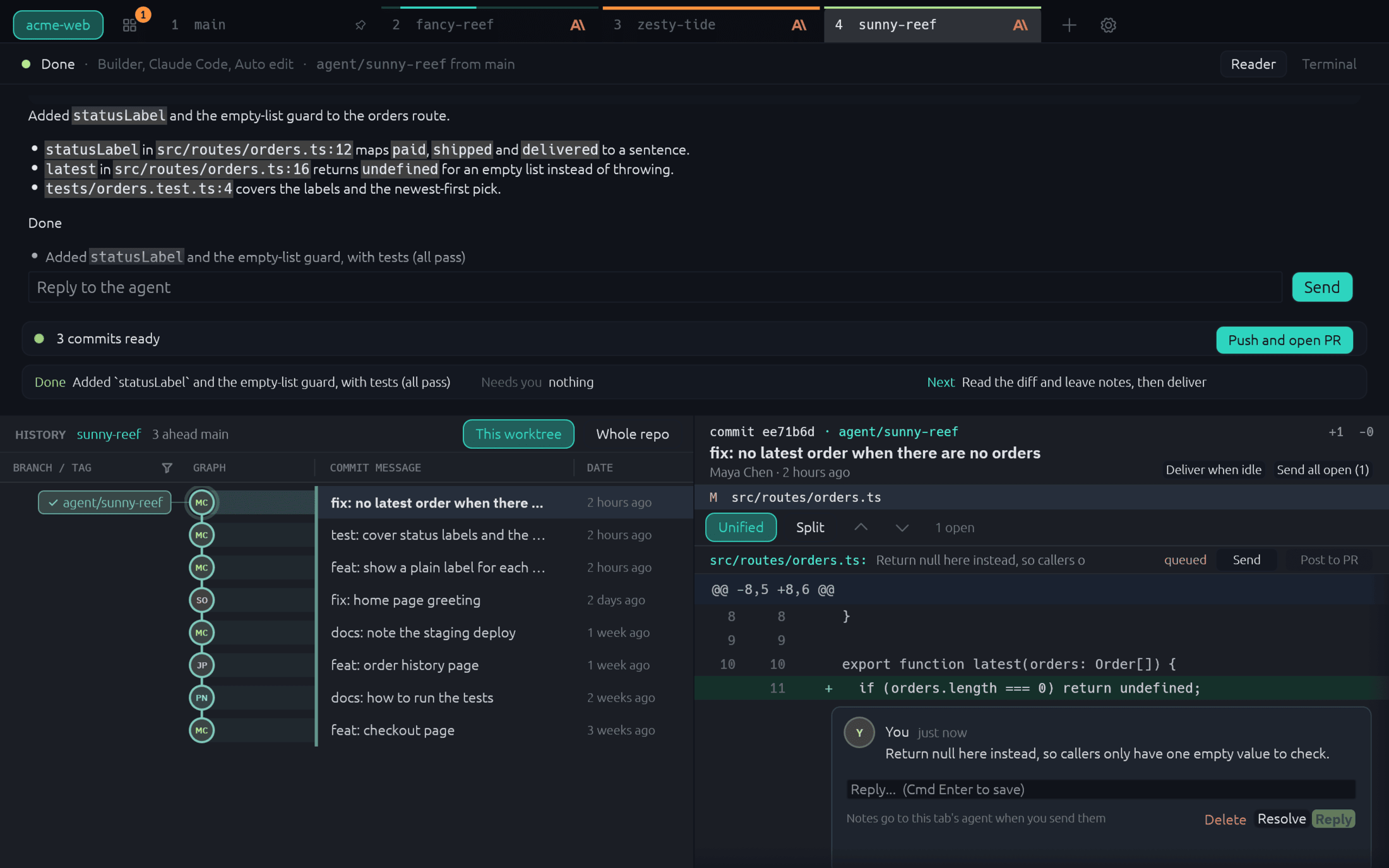
Tidewatch showing an agent's finished answer on top, with the worktree's history and the selected commit's diff below, and a note on a diff line

Features

Run several agents without the mess.

The terminal is on the left and the history of that worktree on the right. Click a commit for its files, a file for its diff in the terminal's place.

Worktree tabs, one agent each

A new tab makes a worktree and starts Claude Code, Codex, Gemini CLI or Copilot CLI in it. Profiles set the agent, model and permission level. Agent tabs block git push.

Reader view

An agent tab shows the agent's answer as readable text on top of the live terminal. One shortcut flips to the raw terminal.

Notes on diff lines

Leave a note on a line of the diff, then send the notes to the agent as one message.

Workflows

Chain stages, each with its own agent profile. Ship a feature, Fix a bug and Review a PR come built in, and there is an editor for your own. Gates can send the work back a stage.

Delivery

When the work is ready, Tidewatch shows the commits and the pull request text. When you approve, it pushes and opens the pull request with gh.

Overview and focus mode

Overview lists every tab with its state: working, needs you, done or failed. Focus mode hides the history so the terminal gets the whole window.

Session restore

Quitting saves your tabs. The next launch brings them back and resumes the agents where the CLI can. After a crash the resume command is typed and waits for your Enter.

Folder trust, asked once

On first launch Tidewatch asks before it marks its worktree folder as trusted in the agent CLIs' own config files. It changes nothing without a yes, and Settings can undo it.

One house style

One file, ~/.config/tidewatch/house-style.md, tells every agent how to write its answers. Edit it freely: Tidewatch never overwrites it.

Every agent, one list.

Overview shows each tab and what it is doing, with the tabs that need you on top. A badge on the button counts them, so you can look away until one does.

  • Working, needs you, done or failed
  • The agent's Done, Needs you and Next lines on the row
  • Desktop notifications when an agent needs you
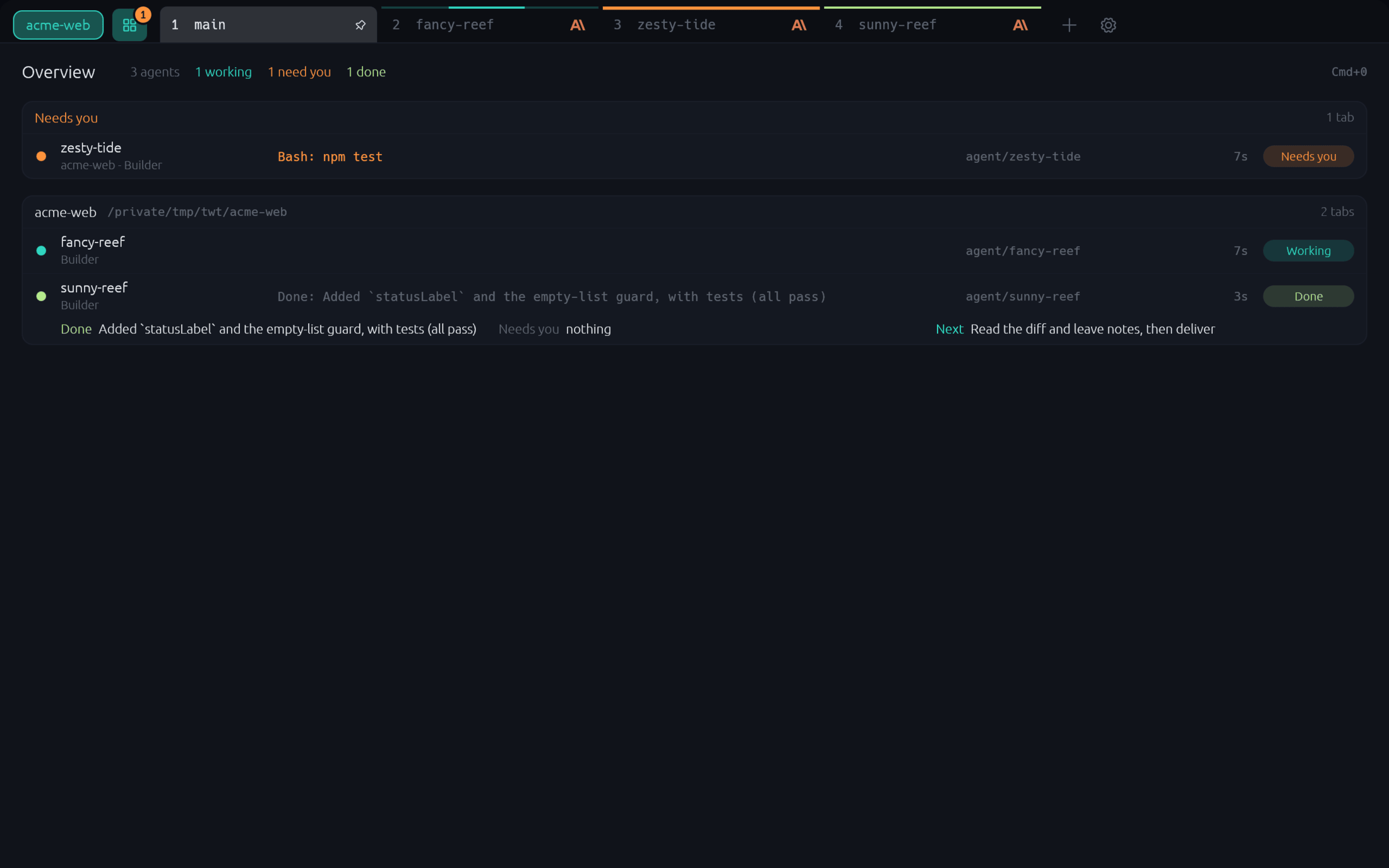
Tidewatch's Overview listing one agent that needs permission, one that is working and one that is done

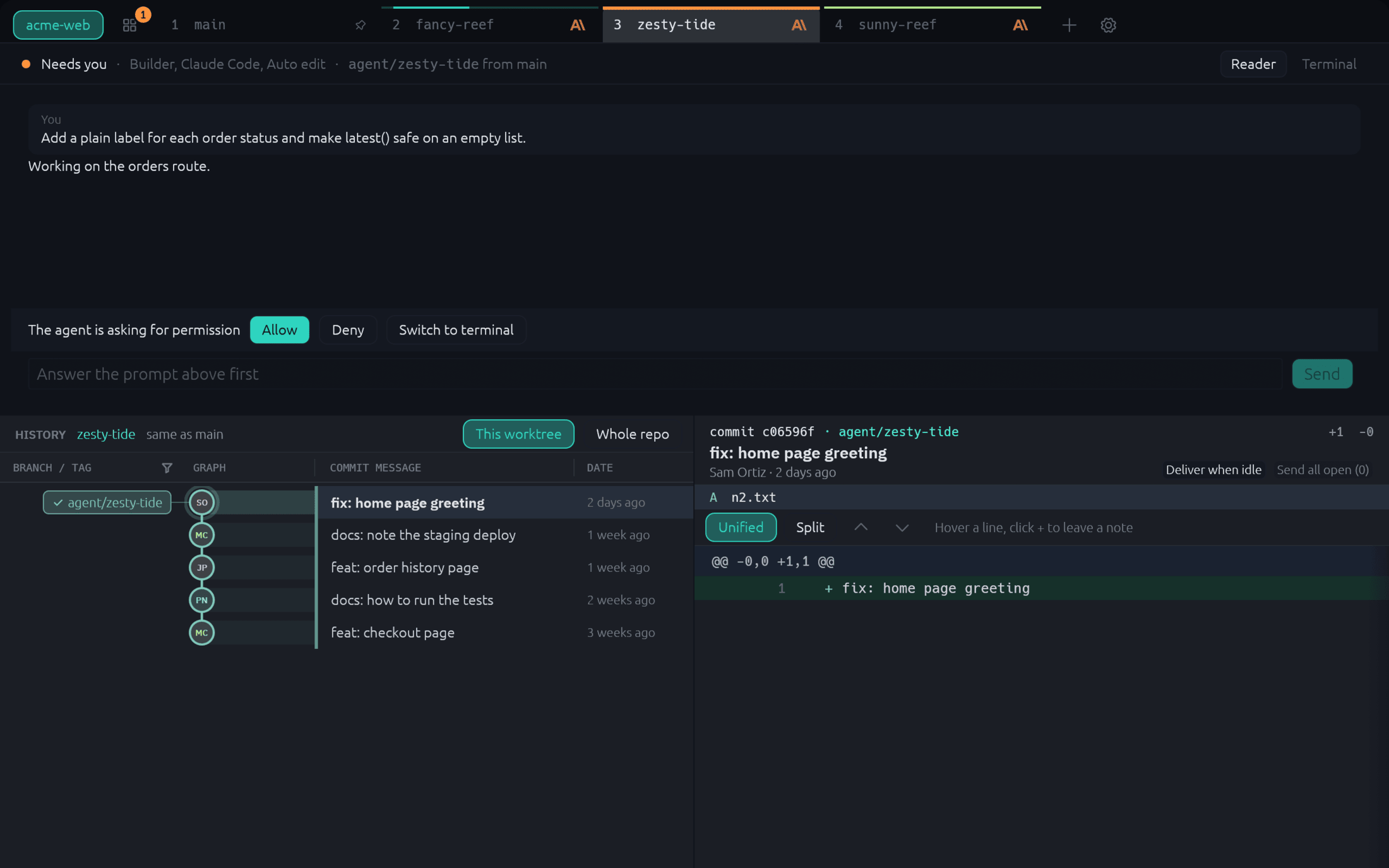
Read the answer, answer the question.

The Reader turns the agent's session into text you can skim: what it said, which tools it ran, and a question when it needs permission. Flip to the raw terminal any time.

  • Allow or deny a permission question from a button (Claude Code today)
  • Reply to the agent from a box under the answer
  • Tool calls fold into one line each
An agent tab asking for permission to run the tests, with Allow and Deny buttons under the Reader

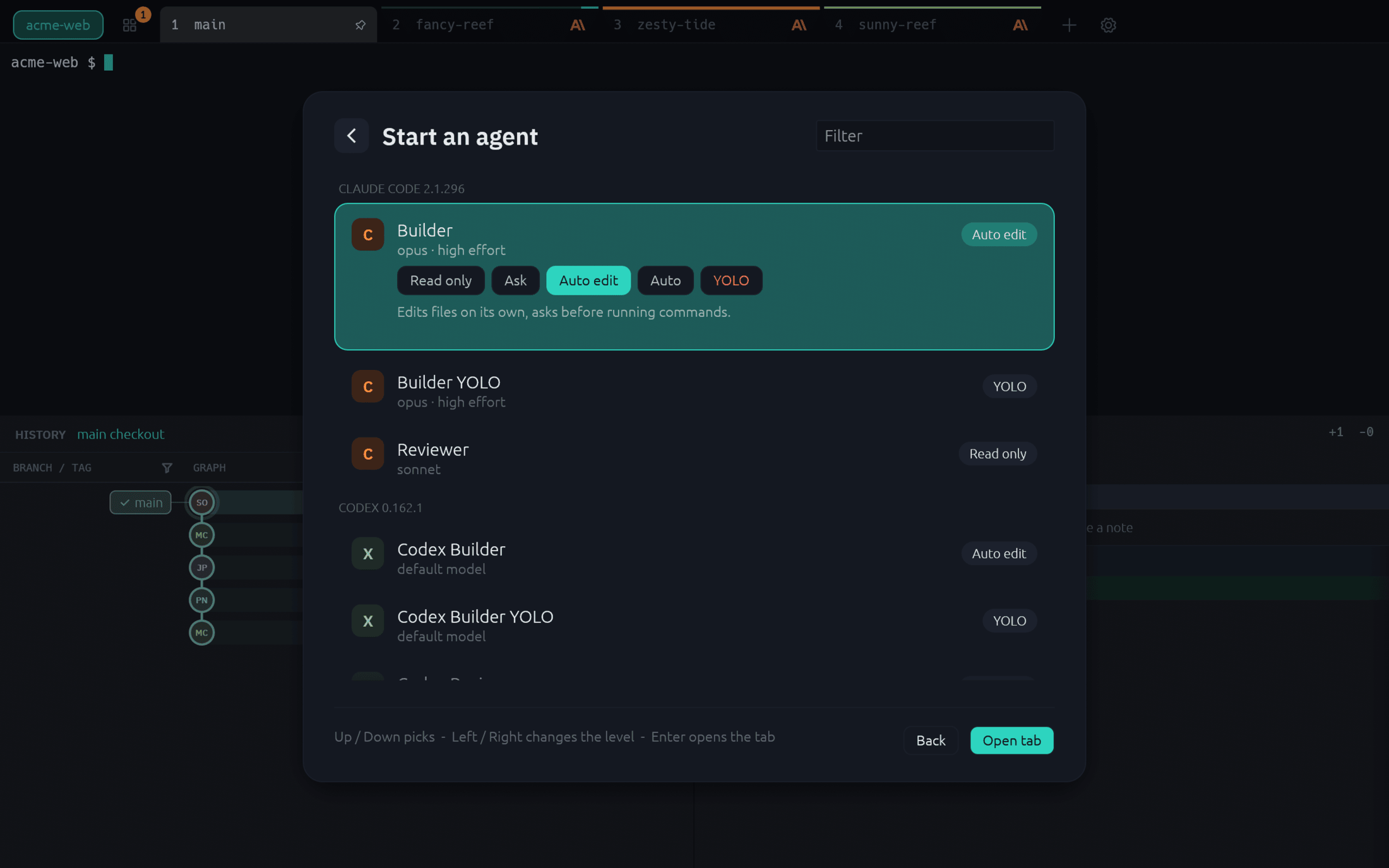
Pick the agent and how far it may go.

A new tab starts with a choice: an agent, a workflow or a plain shell. Pick a profile and its permission level, from read only up to a YOLO level that asks first, and the tab opens at once. You say what to do in the tab, not in the dialog.

  • Claude Code, Codex, Gemini CLI and Copilot CLI
  • A fresh worktree and branch for every tab
  • Tidewatch pushes for you, on approval
The new tab dialog with agent profiles grouped by CLI and the five permission levels of the picked profile

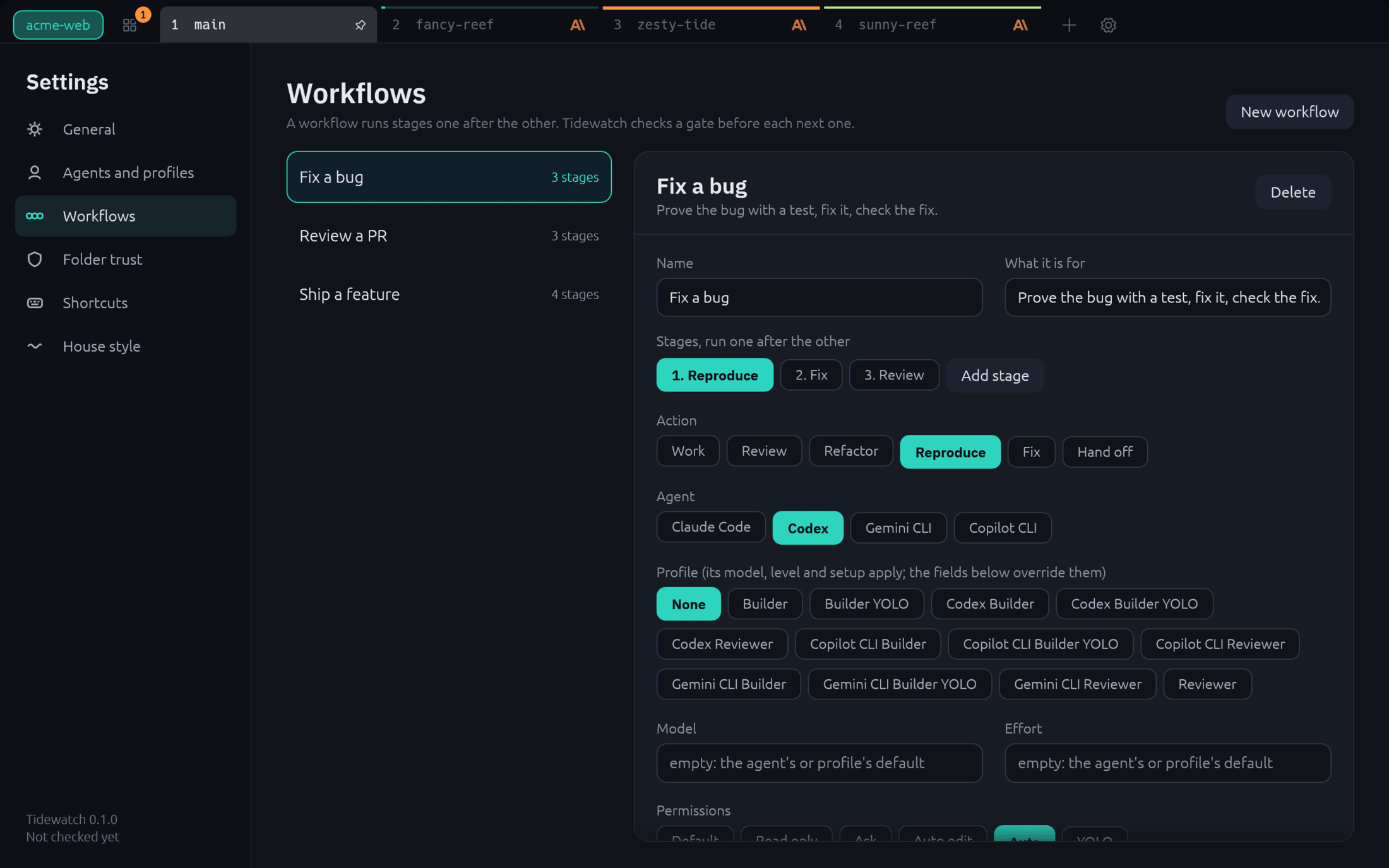
Chain agents into a workflow.

Write the steps once: work, review, refactor. Each stage has its own agent, model and permissions, and a gate that Tidewatch checks before the next stage starts.

  • Tests pass, no blocking findings, or your approval
  • A failed gate sends the work back a stage
  • Ship a feature, Fix a bug and Review a PR are built in
The workflow editor showing the Fix a bug workflow with its stages, agent, permissions and gate

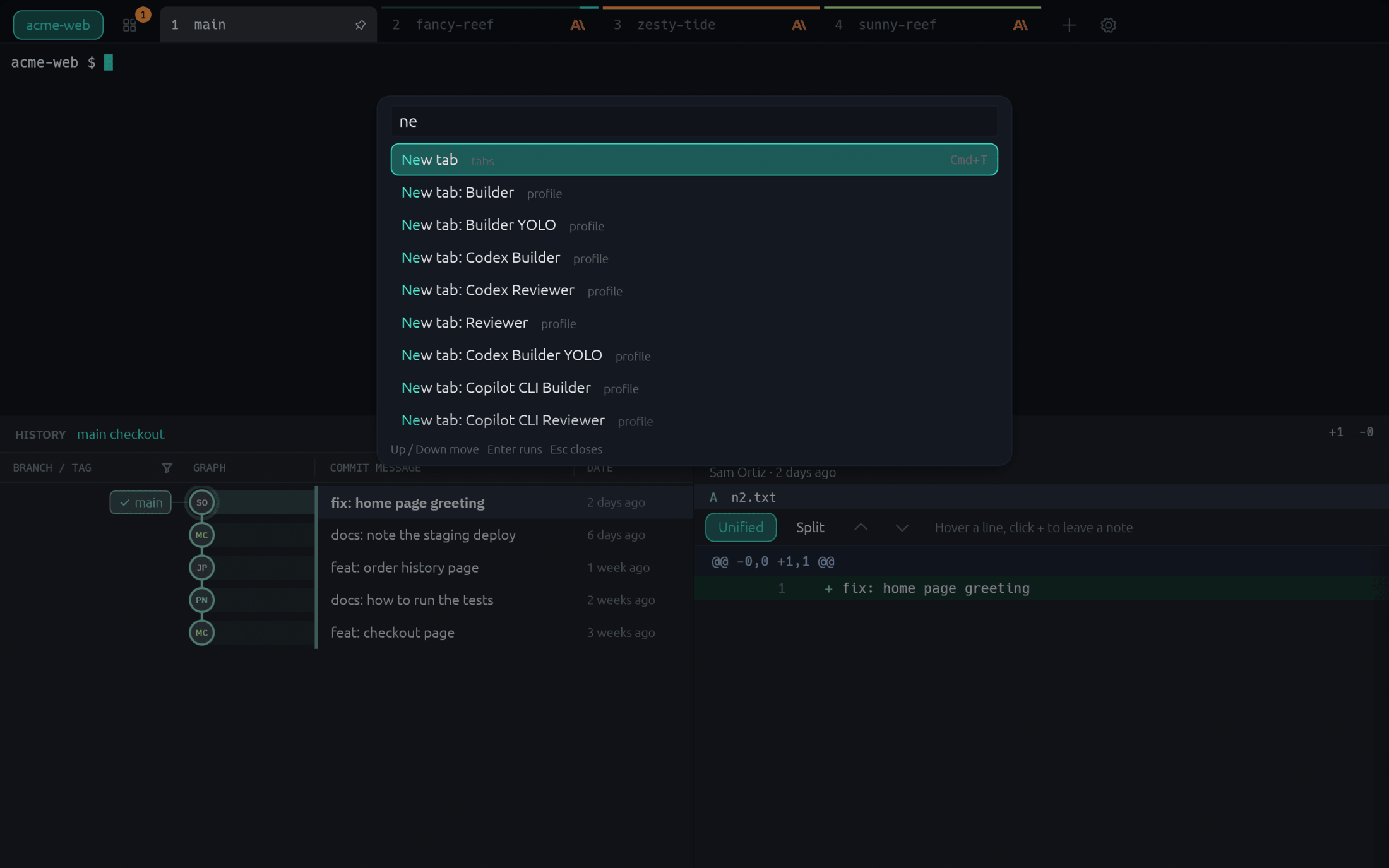
Everything from the keyboard.

The command palette lists every command, the other open tabs, each agent profile and each workflow. A drop-down window on a hotkey keeps Tidewatch one keystroke away.

  • Cmd+Shift+P on macOS, Ctrl+Shift+P on Linux
  • A menu-bar item on macOS
  • Update checks, notify-only unless installed with Homebrew
The command palette open over an agent tab, listing commands and the other tabs with their shortcuts

Built from

Two apps it grew out of.

Tidewatch is made by Hoboware from the parts of Kelp and stdusk that it needs.

Install

Install it with Homebrew, or grab a Linux build.

macOS gets a universal app through the Homebrew cask. Linux gets a tarball and an AppImage from the GitHub Release.

01

Install

On macOS, with Homebrew. On Linux, download the AppImage or tarball from the latest release.

$ brew install hobo-ware/tap/tidewatch
02

Open a repo

Pass the git repo you want a window for.

$ tidewatch ~/code/my-repo
03

Bring an agent

Install at least one agent CLI: Claude Code, Codex, Gemini CLI or Copilot CLI. Tidewatch finds the ones on your PATH. Delivery needs gh.

$ claude --version

Builds are not yet signed with an Apple Developer ID: the Homebrew cask clears the download flag, so the app opens without a warning. To build from source instead: cargo run -p tidewatch -- <repo>. Details are in the README.

Run your agents side by side.

$brew install hobo-ware/tap/tidewatch